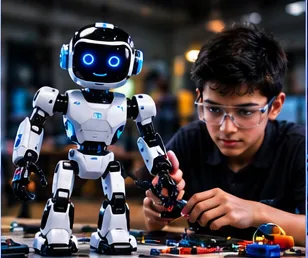
Bridging Software and Hardware: Why Arduino is the Ultimate Prototyping Tool for Young Makers
Many children meet computers only as screens. Arduino-style boards change that relationship. A short program can turn a pin high, light an LED, read a sensor, or drive a motor. The educational power is not brand loyalty; it is the tight feedback loop between code and the physical world.
What a microcontroller does
A microcontroller is a small computer dedicated to reading inputs and controlling outputs. It does not replace a laptop for writing essays, but it excels at real-time interaction with electronics. Children learn that software is not only text on a monitor—it can become voltage changes on a pin.
Sketches: setup and loop
Typical beginner programs have two parts. Setup runs once: configure pins, start serial communication. Loop runs repeatedly: read sensors, decide, act. That structure mirrors how robots behave in continuous time.
Digital versus analog thinking
Digital pins often represent on or off. Analog readings represent a range—useful for light levels or potentiometer positions. Mapping a sensor value to an LED brightness or motor speed is a first taste of control systems.
Prototyping as a habit
Breadboards, jumper wires, and simple modules support fast experiments. When something fails, isolate: test the LED alone, then the sensor alone, then the combined logic. Online Arduino classes for children can coach this sequence live.
Safety and realism
Boards, USB cables, and batteries require supervision. Avoid shorting power rails. Exact hardware recommendations are shared when you enquire—this page does not invent a fixed kit or syllabus.
Libraries and when to wait
For juniors, writing a clear digitalWrite before importing heavy frameworks builds intuition. Mentors can introduce libraries later when the child can explain what the library is doing.
Timing, delays, and responsiveness
Long delays freeze sensor checks. Children discover that a robot that “thinks” only once per second feels clumsy. Discussing why timing matters is part of early control literacy.
Versioning simple sketches
Save working versions before experiments. When a change breaks motion, roll back and compare. Online mentors can review the difference with the learner.
Serial monitor as a window
Printing sensor values teaches honesty. The robot’s “belief” about the world is visible as numbers. Children who watch the stream learn to connect behaviour to data.
Practice that transfers
The best robotics lessons leave the child with a question they can ask of the next project: What is measured? What is decided? What moves? Repeating those three questions builds a portable framework. Parents can use the same questions without specialised training. Online mentors should model the questions until they become habit. Over months, the framework matters more than any single chassis or brand of board.