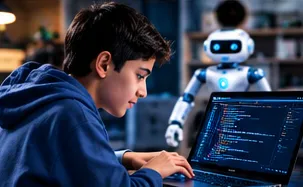
Scratch Game Development Course for Children in Petaling Jaya
A Scratch game development course for children in Petaling Jaya turns passive screen time into creative coding—arcade games, maze puzzles and interactive stories built with visual blocks.
1. Introduction: Why Do We Need File Handling?
In earlier programming lessons, all data used in programs was written directly inside the code itself. However, as programs scale and begin handling large volumes of information, it becomes impossible to keep all data embedded inside the code.
In real-world development and data-driven projects:
Large datasets are stored externally across different files.
Data received from clients or external sources arrives in the form of files rather than hardcoded variables.
File handling enables a Python program to open external files, read their contents, process the information, and write or update new data back into storage.
2. Common Data File Formats
External client data commonly arrives in several distinct formats:
Text files (.txt): Files containing simple, plain human-readable text data.
CSV files (.csv): Stands for Comma Separated Values, structured for tabular records.
JSON files (.json): Widely used in web applications and has become an established standard for sharing data across web protocols.
3. The File Handling Lifecycle
Interacting with a file in Python follows three mandatory stages:
Open the file: Creates a file object and establishes a connection between Python and the disk file.
Read or write data: Executes operations via file object methods.
Close the file: Releases the file back to the operating system and saves changes safely.
4. Reading a Text File (Mode 'r')
To read an existing file, use Python's built-in open() function. The function takes two primary arguments:
File name: The path or name of the target file (e.g., "demo.txt").
File mode: The string 'r', indicating that the file is being opened strictly for reading.
# 1. Open the file in read mode and store the file object
file = open("demo.txt", "r")

# 2. Read the entire content of the file
content = file.read()

# 3. Print the extracted content
print(content)

# 4. Close the file after use
file.close()
Execution Walkthrough
When open("demo.txt", "r") executes, Python checks whether demo.txt exists in the current working directory.
If the file does not exist, Python throws an error at this stage.
If the file is found, Python opens it, wraps it in a file object, and assigns it to the file variable.
Calling file.read() extracts the stored text from the file. In our example file (demo.txt), the file contains two sentences: "This is a test" and "New line added".
Executing print(content) prints those two sentences to the console.
Finally, file.close() closes the file connection.
5. The Critical Importance of Closing Files
Opening a file leaves it in an active, open state inside your program.
Why closing is mandatory: Once you finish reading or writing, you must call file.close() so the file returns to a closed state on the hard disk.
Risks of omitting close(): If you fail to close the file, it remains open in memory. Once your program terminates, the file may become corrupted or damaged.
As a matter of good programming practice, always ensure every opened file is closed immediately after its operations are complete.
6. Writing to a Text File (Mode 'w')
To write data into a file, call open() with the mode argument set to 'w' instead of 'r'. This explicitly informs Python that the file is opened for writing.
# 1. Open the file in write mode
file = open("demo.txt", "w")

# 2. Write a new sentence into the file
file.write("This is another test")

# 3. Close the file as good programming practice
file.close()
Execution Walkthrough & Overwriting Behavior
When file.write("This is another test") executes under write mode ('w'), Python overwrites the entire file.
The previous contents (the two original sentences) are replaced by the single new sentence: "This is another test".
Inspecting demo.txt on the disk confirms that the old text is gone and the file now contains only the new string.
Lesson Q&A
While small scripts can store data directly in variables, programs that scale to handle large volumes of data cannot embed all that information inside the source code. In real-world projects and client engagements, data arrives externally across various file types (such as text, CSV, and JSON files). File handling enables a Python application to open external storage files, read client datasets, process information, and save results without cluttering the program's codebase.
When a file is opened, it remains held in an active, open state in memory. If you finish using the file without explicitly calling file.close(), the file remains open while the program terminates, which can lead to data corruption or damaged files. Closing the file safely flushes and saves the file back to the hard disk, making it a mandatory good programming practice.
When an existing file is opened in write mode (open("file.txt", "w")), Python overwrites the entire file. Any existing sentences or previous data stored in the file are replaced by the new text passed into file.write(), leaving only the newly written content in the file.
Disclosure: This page contains affiliate links. We may earn from qualifying purchases at no extra cost to you. Links are intended for parents and educators, not as marketing directed at young children.
From Player to Maker: Scratch Game Logic for PJ Families
Petaling Jaya’s residential density and school networks create strong demand for creative coding. Scratch workshops focus on event-driven design: when a key is pressed, a sprite moves; when two sprites touch, a score updates. These mechanics teach computer science without syntax friction. Enquire +92 322 4217059. No invented PJ studio.
Frequently asked questions
Why is MIT Scratch game development ideal for young learners in Petaling Jaya?
Scratch provides a visual, block-based coding environment that eliminates typing mistakes while teaching fundamental computer science concepts like loops, variables, conditional logic, and animation physics. As a result, children in Petaling Jaya transform from passive gamers into creative developers.
What real projects will my child build during the Scratch course in PJ?
Students design custom 2D arcade games, maze puzzles, interactive animated stories, and multi-level platforms that they can publish and share with friends and family.
How can Petaling Jaya families sign up for a free introductory Scratch class?
Simply tap the WhatsApp button below to request an introductory demo pass. Our mentors will coordinate with you to find a convenient afternoon or weekend time slot.